
Guide – recipes with AI
Use the magic wand to get recipe ideas from ChatGPT, Gemini & co. and save them as a recipe with one tap – step by step.
You have salmon and spinach but no idea? The magic wand writes the right request for an AI of your choice. The answer comes back as a finished recipe with one tap. After two or three goes, it takes less than a minute.
MealCrew itself sends nothing to the AI. The text is put together on your device; you see all of it and send it yourself at the provider you pick. Which AI opens is set in your profile under AI for recipe ideas: ChatGPT, Gemini, Claude, Copilot, Perplexity, Mistral Vibe or another AI with its own address.
1. Say what you want
Open Recipes and tap the magic wand at the top. Choose what matters to you: how many suggestions, for how many people, cooking or baking, whether it has to be quick, diet, cuisine, occasion, appliances, budget and more. Under These ingredients should be in it enter what needs using up – or take it From the pantry.
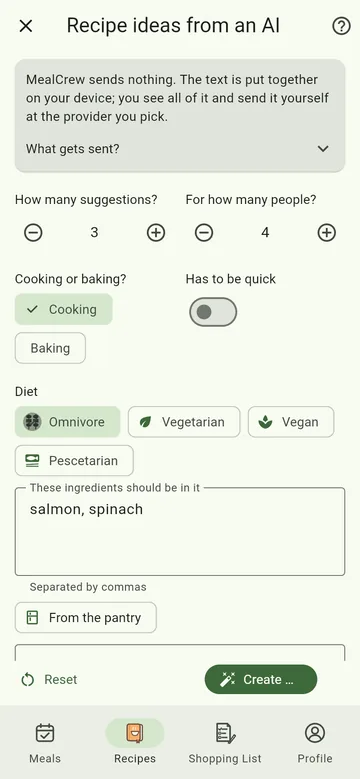
2. Create the prompt and open the AI
Tap Create prompt. MealCrew shows the finished text and puts it on the clipboard right away. Tap Open with ChatGPT (or your chosen AI), and send the text there. Instead of opening, you can also Share or Copy it.
- In the browser, ChatGPT, Claude and Perplexity usually have the text in the input field already.
- On the phone with the AI's own app, with Gemini, Copilot and Mistral, and with very long prompts, the field is empty. Tap the field and the suggestion above the keyboard – or long-press and choose Paste. With pictures: The AI app opens without any text.
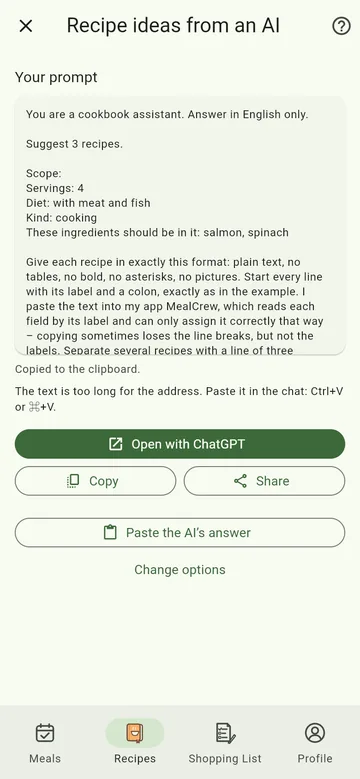
3. Bring the answer back
If you like a suggestion, copy the AI's answer with the copy icon below it (just that one if there are several). Back in MealCrew there are two ways:
- MealCrew notices the recipe on the clipboard and asks whether to use it – just confirm.
- Or tap Paste the AI's answer, paste the text and tap Read the fields.
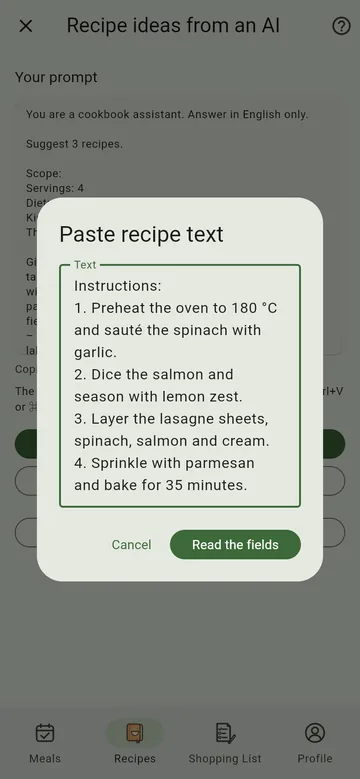
4. Check and save
MealCrew fills in name, description, servings, time, calories, ingredients and instructions and tells you at the bottom what it filled in. Have a quick look and tap Save – or first get a matching picture: Recipe pictures with AI.
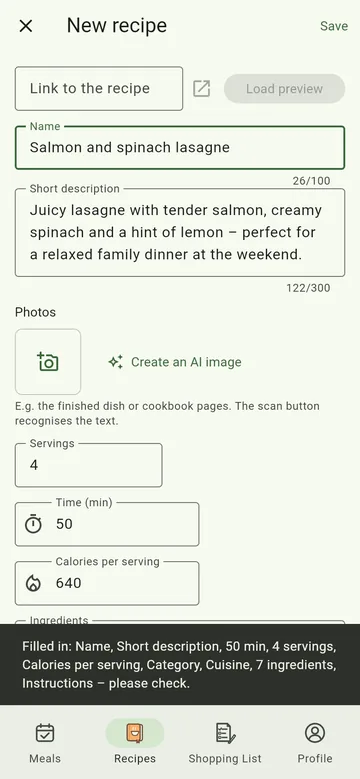
Tip: the AI can be wrong, for example about cooking times or calories. A quick read is worth it.